
How to Submit CEU Certificates via KickUp
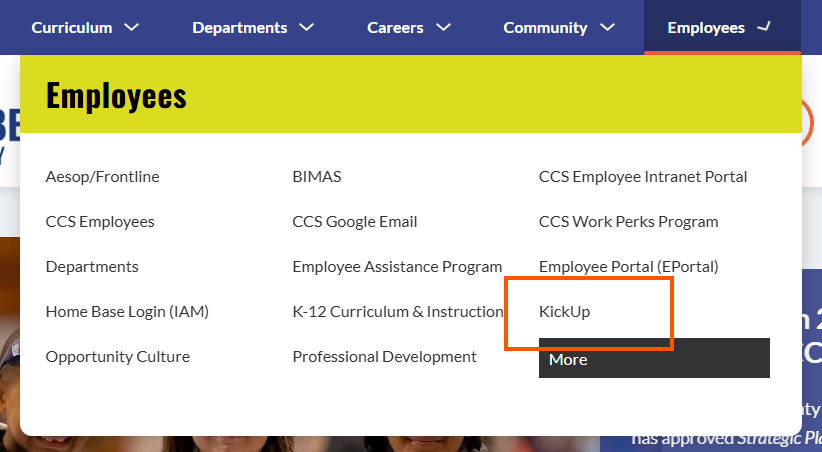
Go to the CCS Webpage. Hover over the "Employee" Tab and Click "KickUp"
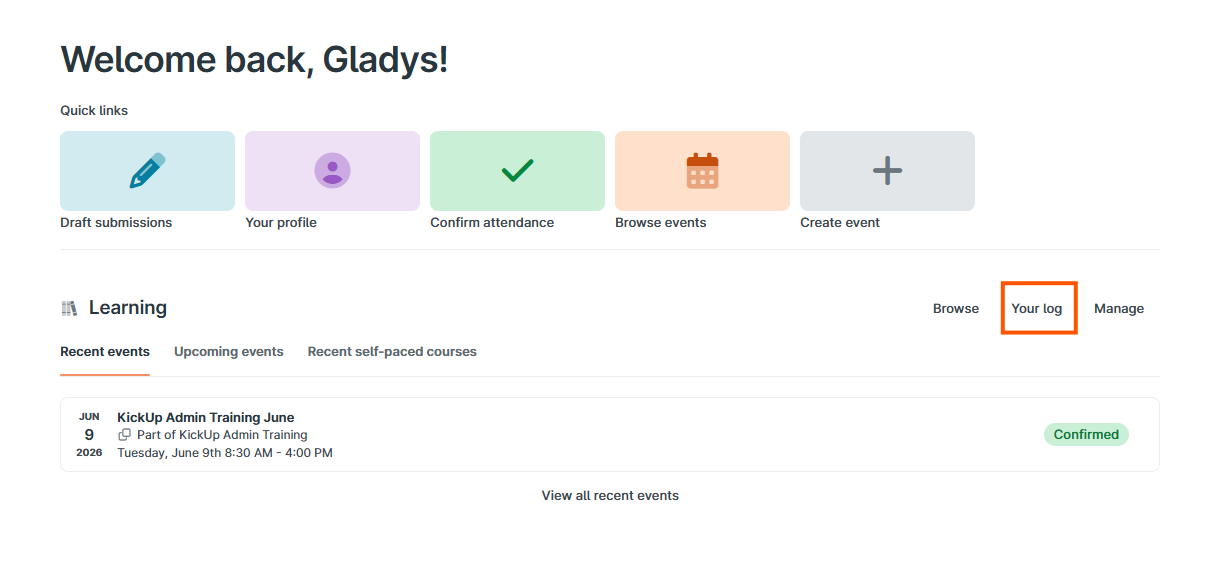
On your Home KickUp Dashboard should be on Learning. Currently, you have no events. Choose "Your Log."
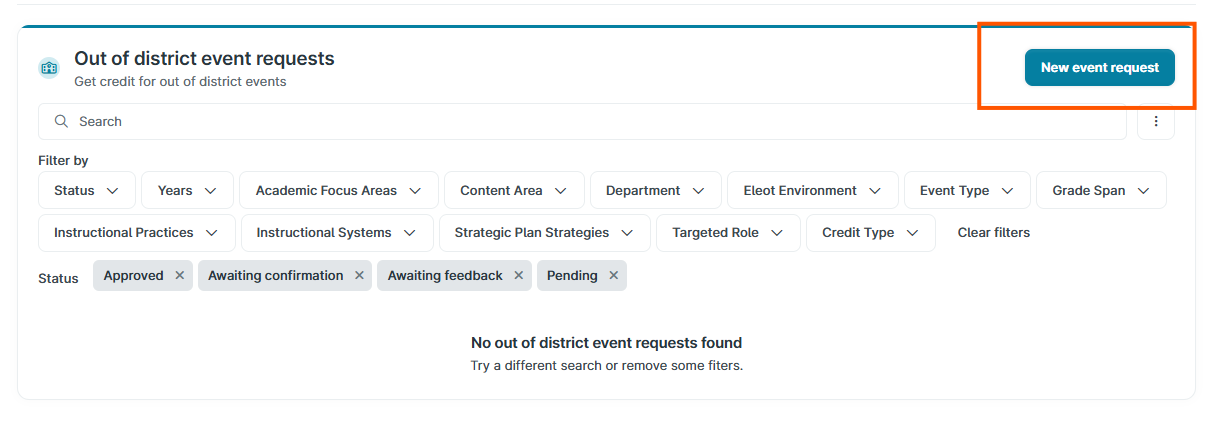
Once you click Your Log, beside Out-of-district Events, click "New Event Request."
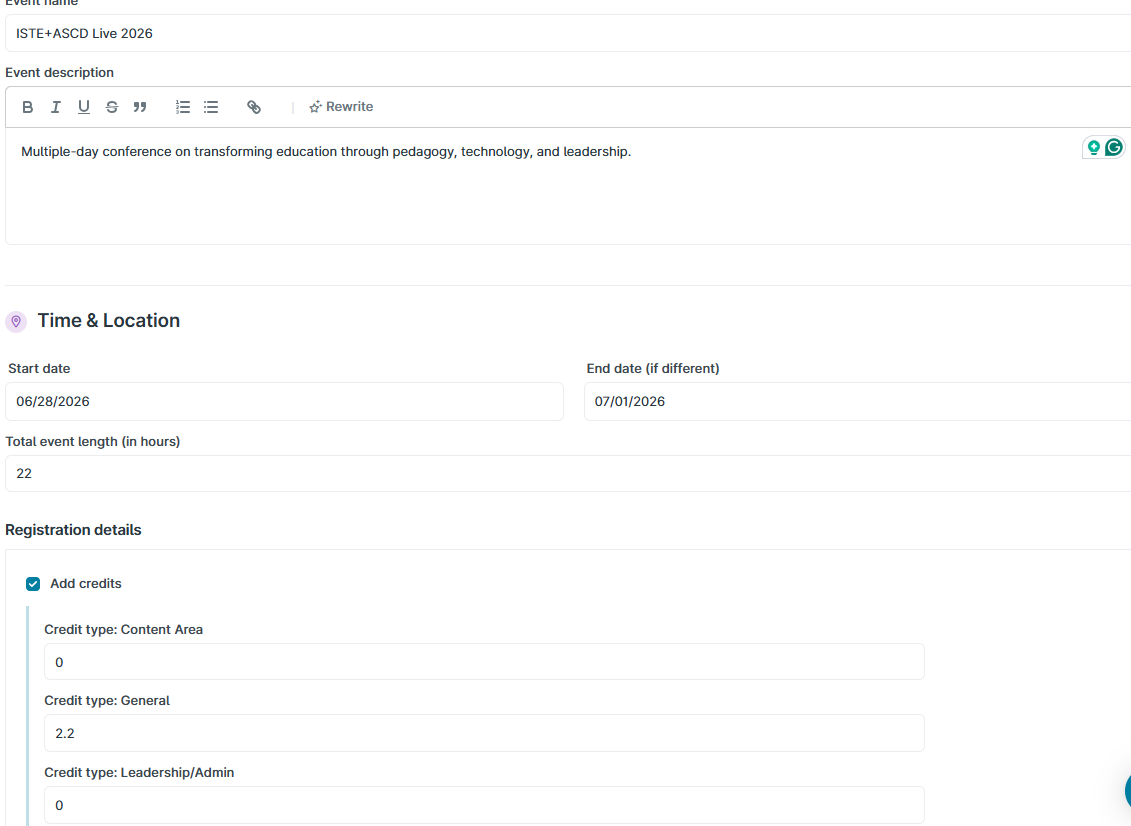
Complete the required information. Be sure to select the types of credits you are requesting and any details in the description. Reimbursement does not apply to CCS Employees.
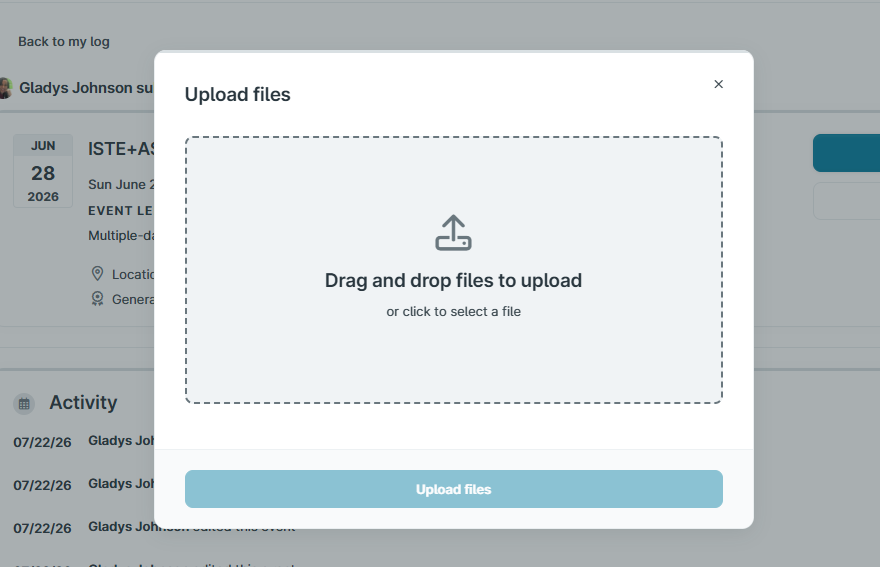
Click Submit Request. On the next screen, click Upload Files. Certificates and/or agendas are required for approval.
Once we review, you will receive an email from KickUp informing you that we have approved CEU credits or what additional information may be needed.
If you have any questions or need assistance, contact Adrienne Reaves @ adriennereaves@ccs.k12.nc.us (Elementary Schools) or Gladys Johnson @ gladysjohnson@ccs.k12.nc.us (Secondary Schools and Departments).